Model Reference#
The light solver does not fundamentally need a model file. It needs a mapping from scene components to radiative behavior.
Concretely, a model description must answer these questions:
given a scene node
(group, type), which radiative model applies?how transparent is that component at first interception?
how strongly does it scatter light in each waveband?
is it a virtual sensor?
does it emit light itself?
Historically this information often comes from YAML model files. In interactive workflows, the same semantics are built directly with GroupModel, TypeModel, InterceptionModel, and EmitterModel.
What Matters In A Model#
Whatever the source format, the runtime ultimately wants a LightModels object that maps scene (group, type) pairs to model behavior.
The rest of this page is organized around those semantics rather than around the YAML syntax.
1. Group And Type Matching#
Model matching is driven by the scene node (group, type) pair.
The runtime resolves a node with this precedence:
exact group and exact type
exact group and wildcard type
*wildcard group
*and exact typewildcard group
*and wildcard type*
This is true whether models come from files or from Julia objects.
Only nodes with geometry need a model. Non-geometric topology nodes such as plant, axis, phytomer, or grouping nodes are ignored by model validation.
For interactive workflows, the compact constructor is usually easiest:
julia
models = models_for(
    "coffee" => (
        "Leaf" => translucent(par=0.15, nir=0.90),
        "Stem" => translucent(par=0.20, nir=0.50),
    ),
    "soil" => (
        "ground" => opaque(par=0.10, nir=0.40),
    ),
)
Use "*" as a type fallback:
julia
models = models_for(
    "coffee" => (
        "*" => translucent(par=0.15, nir=0.90),
        "Stem" => translucent(par=0.20, nir=0.50),
    ),
)
2. File-Based Representation#
Historically, one YAML file usually describes one functional group:
yaml
---
Group: coffee
Type:
  Metamer:
    Interception:
      model: Translucent
      transparency: 0.1
      optical_properties:
        PAR: 0.15
        NIR: 0.9
  Leaf:
    Interception:
      model: Translucent
      transparency: 0.0
      optical_properties:
        PAR: 0.15
        NIR: 0.9
...
The correspondences are:
Group-> functional group nameType-> mapping from component types to model definitionsInterception-> first-order interception and scattering behaviorLightEmitter-> optional emitted radiance
3. Dynamically In Julia#
The same model can be built directly in memory:
julia
models = prepare_models([
    GroupModel(
        "coffee";
        types=OrderedDict(
            "Leaf" => TypeModel(
                interception=InterceptionModel(
                    model="Translucent",
                    transparency=0.0,
                    optical_properties=OpticalProperties(0.15, 0.90),
                ),
            ),
            "Metamer" => TypeModel(
                interception=InterceptionModel(
                    model="Translucent",
                    transparency=0.1,
                    optical_properties=OpticalProperties(0.15, 0.90),
                ),
            ),
        ),
    ),
])
This is the direct equivalent of the YAML file above.
Ground in both workflows uses opaque(par=..., nir=...), which returns the same TypeModel type with zero transmission and outward reflection. The voxel-only ground_materials keyword maps terrain material IDs to full soil models or partial (par=..., nir=...) overrides. Triangle scenes instead use their ordinary group/type mappings; they do not use ground_materials. See the Ground Materials example.
The dynamic correspondences are:
Group: coffee->GroupModel("coffee"; ...)Type: Leaf: ...->"Leaf" => TypeModel(...)Interception: ...->InterceptionModel(...)LightEmitter: ...->EmitterModel(...)
4. Interception Behavior#
The core light package mainly uses the Interception block.
model#
The standard historical model is Translucent:
yaml
Interception:
  model: Translucent
and dynamically:
julia
InterceptionModel(model="Translucent")Translucent is the historical model for plant organs and other ordinary components. For terrain, select Opaque explicitly or use opaque(par=..., nir=...); its PAR/NIR coefficients are reflectances, its transmission is zero and the absorbed fraction is 1 - reflectance.
Opaque currently supports terrain made of nonvertical facets, with normals oriented upward regardless of input winding. Geometry must represent terrain; it is not a general opaque model for vertical stems, arbitrary leaves or closed solids. Model matching still uses ordinary group/type labels.
transparency#
transparency controls first-order pass-through in Translucent. It reduces the fraction intercepted by the visible surface in both the fast upper-hit path and the full per-pixel stack path. It is distinct from diffuse transmission during scattering: even with transparency=0, Translucent splits its scattering coefficient equally between reflection and transmission. Opaque instead has zero first-order and diffuse transmission.
For first-order-only interception, ArchimedLight follows the historical ARCHIMED upper-hit rule: only the first visible surface is retained for that pixel. It intercepts the fraction 1 - transparency; the transmitted fraction is not assigned to lower objects. This preserves the compact upper-hit pixel table instead of switching transparent scenes to a full-stack traversal.
File-based:
yaml
Interception:
  transparency: 0.1
Dynamic equivalent:
julia
InterceptionModel(transparency=0.1)Typical values are in [0, 1]:
0.0for a fully intercepting componentlarger values for partially transmitting components
optical_properties#
optical_properties stores waveband-dependent coefficients. For Translucent, these are total diffuse scattering fractions, split equally between reflection and transmission. For Opaque, they are reflectances with zero transmission. In both cases, the remaining intercepted fraction is absorbed.
File-based:
yaml
Interception:
  optical_properties:
    PAR: 0.15
    NIR: 0.90
Dynamic equivalent:
julia
InterceptionModel(
    optical_properties=OpticalProperties(0.15, 0.90),
)
For the current package:
PARandNIRare the built-in bandsextra shortwave bands are also supported
Example with one custom band in YAML:
yaml
optical_properties:
  PAR: 0.15
  NIR: 0.90
  custom: 0.15
The optical coefficient is the scattered fraction. When no more detailed information is available, absorptance is then derived approximately as:
text
absorptance = 1 - scattering_coefficient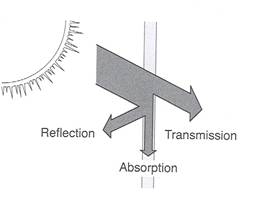
5. Virtual Sensors#
Virtual sensors receive light but remain transparent in the transfer logic. Their scattering coefficient is zero for every waveband, including custom bands.
File-based:
yaml
Interception:
  model: VirtualSensor
or
yaml
Interception:
  sensor: true
Dynamic equivalent:
julia
InterceptionModel(model="VirtualSensor")or
julia
InterceptionModel(sensor=true)Use this for diagnostic surfaces that should observe the radiative field without perturbing it like an opaque object.
6. Multiple Named Variants#
Historical ARCHIMED files sometimes store several named parameter sets under one process block and select one with use.
File-based example:
yaml
Interception:
  use: Translucent_1
  Translucent_1:
    model: Translucent
    transparency: 0.0
    optical_properties:
      PAR: 0.15
      NIR: 0.90
  Translucent_2:
    model: Translucent
    transparency: 0.2
    optical_properties:
      PAR: 0.20
      NIR: 0.85
The dynamic equivalent is not usually written by hand, but the runtime preserves the same structure internally through the use and variants fields of InterceptionModel.
7. Light Emitters#
Components can also emit light.
File-based:
yaml
LightEmitter:
  model: LambertianEmitter
  radiance: 20.0
  gamma:
    PAR: 0.48
    NIR: 0.52
Dynamic equivalent:
julia
TypeModel(
    light_emitter=EmitterModel(
        model="LambertianEmitter",
        radiance=20.0,
        gamma=OpticalProperties(0.48, 0.52),
    ),
)
This is useful for artificial lighting or diagnostic scenes. Most canopy workflows still rely mainly on meteo forcing. radiance is expressed per emitting surface area and steradian, and gamma values are independent spectral coefficients rather than fractions that are renormalized. Custom entries in gamma are transported under the same band name; they do not inherit or reuse the PAR coefficient. An emitter-only custom band is included in the result even when the meteo table has no matching RI_<band>_f column. For the source notation and how emitters enter the light algorithm, see Artificial Light Emitters.
8. Wildcard Models#
Wildcards are often the most useful part of interactive model construction, because they let you start from a broad fallback and refine only the important cases.
Wildcard Type Inside One Group#
File-based:
yaml
Group: coffee
Type:
  "*":
    Interception:
      model: Translucent
      transparency: 0.0
      optical_properties:
        PAR: 0.15
        NIR: 0.90
Dynamic equivalent:
julia
GroupModel(
    "coffee";
    types=OrderedDict(
        "*" => TypeModel(
            interception=InterceptionModel(
                model="Translucent",
                transparency=0.0,
                optical_properties=OpticalProperties(0.15, 0.90),
            ),
        ),
    ),
)
This means: any type inside the coffee group uses this fallback unless a more specific type is declared.
Global Wildcard Group And Type#
Dynamic equivalent:
julia
models = prepare_models([
    GroupModel(
        "*";
        types=OrderedDict(
            "*" => TypeModel(
                interception=InterceptionModel(
                    model="Translucent",
                    transparency=0.0,
                    optical_properties=OpticalProperties(0.15, 0.30),
                ),
            ),
        ),
    ),
])
This is useful for:
synthetic scenes
tests
progressive setup before writing exact
(group, type)rules
9. Soil And Paving#
Soil and paving use ordinary group/type matching. Choose Opaque to reflect all scattered energy outward from the terrain rather than splitting it between the two sides. Existing Translucent inputs keep their two-sided law; a group name such as soil or pavement does not select opacity automatically:
yaml
Group: pavement
Type:
  Cobblestone:
    Interception:
      model: Opaque
      transparency: 0
      optical_properties:
        PAR: 0.15
        NIR: 0.9
    plot_paving: 80
Dynamic equivalent:
julia
GroupModel(
    "pavement";
    types=OrderedDict(
        "Cobblestone" => opaque(par=0.15, nir=0.90),
    ),
)
The plot_paving hint belongs to the file-based convenience layer used by read_simulation; the radiative behavior itself is still just an ordinary interception model.
10. Missing Bands And Fallbacks#
When a Translucent model omits a waveband in optical_properties, the runtime falls back to the corresponding option in LightOptions:
missing PAR ->
options.scattering_coeff_parmissing NIR ->
options.scattering_coeff_nir
Opaque requires explicit PAR and NIR reflectances; missing coefficients are rejected rather than replaced with those fallbacks.
That is why the global scattering coefficients still matter even when most groups are explicitly parameterized.
11. Historical Blocks Not Used By The Light Package#
Historical model files may still contain:
PhotosynthesisStomatalConductancemany energy-balance parameters
Those sections remain useful archival context, but they are not part of the active light API of ArchimedLight.jl. For light simulations, the important parts are the group/type mapping, interception behavior, optional emitters, and wildcard rules.
On this page