Outputs#
The current Julia package exposes light results in three increasingly concrete forms:
in memory as
LightBudgetattached back onto MTG nodes as ARCHIMED-style attributes
written to disk when you export the enriched scene
This page documents those three layers and then explains the ARCHIMED-style CSV outputs used by the public writer and regression harness.
1. In-Memory Outputs: LightBudget#
The core output of run_light for one meteo row is shown below. This example uses 1 cm pixels for a quick demonstration and also requests sky visibility.
julia
using ArchimedLight

repo_root = normpath(joinpath(dirname(pathof(ArchimedLight)), ".."))
config = joinpath(repo_root, "example_2", "config.yml")
sim, meteo = read_simulation(config)
update_options!(sim, LightOptions(sim.options; pixel_size=0.01, include_sky_fraction=true))
row = first(meteo)
step = run_light(sim, row)
budget = step.budget;
LightBudget(ArchimedLight.InitialTotalSpectralNodeValues(ArchimedLight.SpectralNodeValues(Dict(3988 => 280.309392194299, 601 => 10.950028840833689, 1356 => 32.55262785119745, 4651 => 387.380886164208, 3233 => 281.9231059631578, 960 => 161.94745378642025, 2874 => 112.46633845942497, 205 => 210.81341166739284, 5010 => 400.2054097110285, 5406 => 418.2128932188211…), Dict(3988 => 303.66850821049064, 601 => 11.862531244236498, 1356 => 35.265346838797235, 4651 => 419.6626266778921, 3233 => 305.4166981267546, 960 => 175.4430749352886, 2874 => 121.83853333104375, 205 => 228.38119597300894, 5010 => 433.555860520281, 5406 => 453.06396765372295…)), ArchimedLight.SpectralNodeValues(Dict(3988 => 307.2035475951259, 601 => 24.573573234368027, 1356 => 48.92617456186824, 4651 => 394.0977347194529, 3233 => 305.32295952879645, 960 => 183.74252643397463, 2874 => 131.29405504601158, 205 => 236.33384558317798, 5010 => 404.17686977540507, 5406 => 423.2693049043844…), Dict(3988 => 670.7168957087788, 601 => 359.30834584346064, 1356 => 358.1035262527725, 4651 => 543.0669136526747, 3233 => 639.3888736339752, 960 => 505.7467854212261, 2874 => 456.09845762045904, 205 => 596.7168326287285, 5010 => 509.4749698938692, 5406 => 549.800060537249…))), ArchimedLight.InitialTotalSpectralNodeValues(ArchimedLight.SpectralNodeValues(Dict(3988 => 90.18338219834352, 601 => 1.6428331569790418, 1356 => 173.26604237810446, 4651 => 1440.6728030102486, 3233 => 2399.157720003213, 960 => 863.5815471666399, 2874 => 598.6182625801667, 205 => 1280.5075731426048, 5010 => 1488.366339061534, 5406 => 1555.334239616819…), Dict(3988 => 97.69866404820552, 601 => 1.7797359200606286, 1356 => 187.70487924294653, 4651 => 1560.7288699277697, 3233 => 2599.0875300034836, 960 => 935.5466760971933, 2874 => 648.5031177951807, 205 => 1387.2165375711554, 5010 => 1612.3968673166626, 5406 => 1684.9454262515544…)), ArchimedLight.SpectralNodeValues(Dict(3988 => 98.83598522540592, 601 => 3.6867739328985074, 1356 => 260.4165990464995, 4651 => 1465.6528197872715, 3233 => 2598.2898171654906, 960 => 979.8033346509122, 2874 => 698.8314921188914, 205 => 1435.521946471979, 5010 => 1503.1362230593875, 5406 => 1574.1390405965926…), Dict(3988 => 215.78841036715545, 601 => 53.90704195496786, 1356 => 1906.0575090615646, 4651 => 2019.6704604121262, 3233 => 5441.181371148682, 960 => 2696.8845833452683, 2874 => 2427.649641717063, 205 => 3624.5342132610663, 5010 => 1894.7404942175804, 5406 => 2044.707068965371…))), ArchimedLight.InitialTotalSpectralNodeValues(ArchimedLight.SpectralNodeValues(Dict(3988 => 238.26298336515413, 601 => 9.307524514708636, 1356 => 27.669733673517833, 4651 => 329.27375323957676, 3233 => 239.63464006868412, 960 => 137.65533571845722, 2874 => 95.59638769051122, 205 => 179.19139991728392, 5010 => 340.1745982543742, 5406 => 355.4809592359979…), Dict(3988 => 30.36685082104906, 601 => 1.1862531244236496, 1356 => 3.526534683879723, 4651 => 41.9662626677892, 3233 => 30.541669812675455, 960 => 17.544307493528855, 2874 => 12.183853333104372, 205 => 22.83811959730089, 5010 => 43.35558605202809, 5406 => 45.306396765372284…)), ArchimedLight.SpectralNodeValues(Dict(3988 => 261.123015455857, 601 => 20.887537249212823, 1356 => 41.587248377588, 4651 => 334.98307451153494, 3233 => 259.52451559947696, 960 => 156.18114746887844, 2874 => 111.59994678910984, 205 => 200.88376874570127, 5010 => 343.5503393090943, 5406 => 359.7789091687267…), Dict(3988 => 67.07168957087787, 601 => 35.93083458434606, 1356 => 35.81035262527724, 4651 => 54.306691365267454, 3233 => 63.938887363397505, 960 => 50.5746785421226, 2874 => 45.60984576204589, 205 => 59.67168326287284, 5010 => 50.947496989386906, 5406 => 54.980006053724885…))), ArchimedLight.InitialTotalSpectralNodeValues(ArchimedLight.SpectralNodeValues(Dict(3988 => 76.65587486859198, 601 => 1.3964081834321855, 1356 => 147.2761360213888, 4651 => 1224.5718825587114, 3233 => 2039.284062002731, 960 => 734.0443150916439, 2874 => 508.8255231931417, 205 => 1088.4314371712142, 5010 => 1265.111388202304, 5406 => 1322.0341036742961…), Dict(3988 => 9.769866404820549, 601 => 0.17797359200606283, 1356 => 18.77048792429465, 4651 => 156.07288699277694, 3233 => 259.90875300034827, 960 => 93.55466760971932, 2874 => 64.85031177951807, 205 => 138.72165375711552, 5010 => 161.2396867316662, 5406 => 168.49454262515542…)), ArchimedLight.SpectralNodeValues(Dict(3988 => 84.01058744159504, 601 => 3.1337578429637314, 1356 => 221.35410918952456, 4651 => 1245.8048968191808, 3233 => 2208.5463445906666, 960 => 832.8328344532754, 2874 => 594.0067683010577, 205 => 1220.193654501182, 5010 => 1277.6657896004792, 5406 => 1338.0181845071036…), Dict(3988 => 21.578841036715538, 601 => 5.3907041954967845, 1356 => 190.60575090615643, 4651 => 201.96704604121257, 3233 => 544.1181371148681, 960 => 269.6884583345268, 2874 => 242.76496417170625, 205 => 362.45342132610654, 5010 => 189.47404942175802, 5406 => 204.47070689653705…))), Dict{String, Dict{Int64, Float64}}(), Dict{String, Dict{Int64, Float64}}(), Dict("PAR" => Dict(), "NIR" => Dict()))
The main grouped fields are:
budget.incident_fluxbudget.incident_energybudget.absorbed_fluxbudget.absorbed_energy
Each one is then split into:
initial: first-order interception onlytotal: first-order plus scattering
and by waveband, for example:
parnir
Typical accesses:
julia
budget.incident_flux.initial.par;
budget.incident_flux.total.par;
budget.absorbed_energy.total.nir;
Dict{Int64, Float64} with 5968 entries:
3988 => 21.5788
601 => 5.3907
1356 => 190.606
4651 => 201.967
3233 => 544.118
960 => 269.688
2874 => 242.765
205 => 362.453
5010 => 189.474
5406 => 204.471
2478 => 37.5016
2082 => 370.782
5369 => 198.967
5802 => 204.714
564 => 36.1288
2837 => 25.8185
4255 => 145.701
3629 => 25.1197
3196 => 46.5342
⋮ => ⋮
Each leaf of that structure is a dictionary keyed by node id.
For artificial emitters, step.first_order.emitter_escaped_power.par and .nir report emitted power which left the represented scene without a geometric hit. These dictionaries are keyed by emitting source node. Together with emitter-contributed incident power, they provide the explicit received-plus-escaped power closure (in W) described in Artificial Light Emitters. Virtual sensors are non-consuming observations: their reported incident power is not subtracted from the ray and is excluded from this physical received-plus-escaped closure. A sensor may therefore report the same ray that is subsequently received by a physical component or escapes the scene. first_order.incident_power combines artificial emitters with sky and sun sources. To verify the closure from public fields, external sky/sun input must be zero and incident power must be summed over physical (non-sensor) receivers; sensor entries are observations, not consumed power. The emitter transfer is accounted separately before it is merged into total incident power. emitter_escaped_power exposes instantaneous PAR and NIR power. The integrated step budget exposes every emitted band, including custom bands, through step.budget.emitter_escaped_energy_per_band[band]. For PAR and NIR this is the corresponding escaped power multiplied by the step duration in seconds.
If you need canopy-view metadata for coupled models, step.sky_fraction stores the per-node visible-sky fraction when options.include_sky_fraction=true. When using a YAML config, read_options enables that option when component_variables.sky_fraction or opf_variables.sky_fraction is true.
2. Query Values By Scene Metadata#
light_metric_values combines a light result with its scene metadata and returns a Tables.jl-compatible column table:
julia
coffee_leaves = light_metric_values(
    sim,
    step,
    :absorbed_par_energy;
    species="coffee",
    object_id=1,
    symbol=:Leaf,
)

propertynames(coffee_leaves)
(:step_number, :node_id, :source_topology_id, :object_id, :item_id, :component_id, :group, :type, :symbol, :scale, :value)
The table includes the timestep, runtime and source node identifiers, object and output grouping identifiers, group/type, MTG symbol and scale, and the selected value. A series produces the same columns in long form:
julia
coffee_series = light_metric_values(
    sim,
    [step],
    :Ra_PAR_q;
    species="coffee",
)

unique(coffee_series.step_number)
1-element Vector{Int64}:
1
All filters combine. group and species are aliases, object_id identifies one placed scene object, source_topology_id identifies its source component, and node_ids accepts one runtime node id or a collection. symbol, scale, type, exact attributes, and a custom where node predicate provide progressively more specific selection.
Selections can be reused:
julia
leaf_ids = light_node_ids(sim; species="coffee", symbol=:Leaf)
leaf_par = light_metric_values(sim, step, :Ra_PAR_q; node_ids=leaf_ids)
leaf_nir = light_metric_values(sim, step, :Ra_NIR_q; node_ids=leaf_ids)
length(leaf_par.value) == length(leaf_nir.value)
true
Use reduce=sum for a total. For example, these compute the whole-scene absorbed PAR and the plant-only total after excluding paving:
julia
scene_absorbed_par = light_metric_values(
    sim,
    step,
    :absorbed_par_energy;
    reduce=sum,
)

plant_ids = setdiff(
    light_node_ids(sim),
    light_node_ids(sim; group="pavement"),
)
plant_absorbed_par = light_metric_values(
    sim,
    step,
    :absorbed_par_energy;
    node_ids=plant_ids,
    reduce=sum,
)

scene_absorbed_par >= plant_absorbed_par
true
Adding by, such as by=:object_id or by=(:group, :type), returns a grouped table. For a series, step_number is retained automatically. sink=DataFrame can materialize detailed or grouped results when DataFrames.jl is loaded.
Summing per-component energy (*_energy or historical *_q) gives an energy total. Flux values are normalized independently by each component's area, so their direct sum generally is not a meaningful scene-scale flux.
Dynamic scenes#
Each result retains a lightweight node metadata snapshot by default. All steps computed without changing the scene share the same snapshot. After update_scene!, the next result receives a new snapshot, allowing one series to contain several runtime node-id layouts safely:
julia
steps = LightStepResult[]
for (new_scene, row) in zip(scenes, meteo)
    update_scene!(sim, new_scene)
    push!(steps, run_light(sim, row))
end

second_coffee_leaf = light_metric_values(
    sim,
    steps,
    :absorbed_par_energy;
    species="coffee",
    object_id=2,
    source_topology_id=42,
)
The stable component identity is normally (object_id, source_topology_id); runtime node_id remains local to one scene version. To retain additional scalar identifiers, construct options with node_metadata_attributes=(:organ_id, ...) and filter with attributes=(organ_id=...,). Set store_node_metadata=false when results are queried immediately and minimum retained memory is more important.
3. Attached Outputs: ARCHIMED Attribute Names#
The convenience layer for visual inspection is attach_light_step!:
julia
attach_light_step!(
    sim.scene,
    step;
    fields=[:incident_par_flux, :incident_par_energy, :absorbed_par_energy],
);
/ 1: Scene
├─ / 2: Individual
│ └─ / 3: Axis
│ ├─ / 4: Metamer
│ ├─ < 5: Metamer
│ ├─ < 6: Metamer
│ ├─ < 7: Metamer
│ ├─ < 8: Metamer
│ ├─ < 9: Metamer
│ ├─ < 10: Metamer
│ ├─ < 11: Metamer
│ │ ├─ + 12: Axis
│ │ │ ├─ / 13: Metamer
│ │ │ ├─ < 14: Metamer
│ │ │ ├─ < 15: Metamer
│ │ │ ├─ < 16: Metamer
│ │ │ ├─ < 17: Metamer
│ │ │ ├─ < 18: Metamer
│ │ │ ├─ < 19: Metamer
│ │ │ │ └─ + 20: Axis
│ │ │ │ ├─ / 21: Metamer
│ │ │ │ ├─ < 22: Metamer
│ │ │ │ ├─ < 23: Metamer
│ │ │ │ ├─ < 24: Metamer
…
The default mappings are:
| Field selector | Attached attribute |
|---|---|
:area | area |
:incident_par_initial_flux | Ri_PAR_0_f |
:incident_nir_initial_flux | Ri_NIR_0_f |
:incident_par_flux | Ri_PAR_f |
:incident_nir_flux | Ri_NIR_f |
:incident_par_initial_energy | Ri_PAR_0_q |
:incident_nir_initial_energy | Ri_NIR_0_q |
:incident_par_energy | Ri_PAR_q |
:incident_nir_energy | Ri_NIR_q |
:absorbed_par_initial_flux | Ra_PAR_0_f |
:absorbed_nir_initial_flux | Ra_NIR_0_f |
:absorbed_par_flux | Ra_PAR_f |
:absorbed_nir_flux | Ra_NIR_f |
:absorbed_shortwave_flux | Ra_SW_f (Ra_PAR_f + Ra_NIR_f) |
:absorbed_par_initial_energy | Ra_PAR_0_q |
:absorbed_nir_initial_energy | Ra_NIR_0_q |
:absorbed_par_energy | Ra_PAR_q |
:absorbed_nir_energy | Ra_NIR_q |
:sky_fraction | sky_fraction |
The meaning follows the historical ARCHIMED naming:
area: prepared object surface area inm^2Ri: intercepted radiationRa: absorbed radiation_0_: first-order onlyno
_0_: after scattering has been added_f: irradiance-like quantity inW m^-2_q: energy per component and per step inJ
Shortwave radiation is the sum of its PAR and NIR wavebands. In particular, Ra_SW_f is not an alias for Ra_NIR_f. The typed component and source-owner tables derive it as
\[Ra\_SW\_f = Ra\_PAR\_f + Ra\_NIR\_f.\]
The table also derives aPPFD from absorbed PAR using the requested PAR-energy-to-photon conversion factor:
julia
owner_light = component_values(step; level=:source_owner)
all(isapprox.(
    owner_light.Ra_SW_f,
    owner_light.Ra_PAR_f .+ owner_light.Ra_NIR_f,
))
true
If a downstream package reads attributes attached to the scene, attach the PAR and NIR values under distinct names. Request :absorbed_shortwave_flux to attach their sum as Ra_SW_f. The historical Dict(:absorbed_nir_flux => :Ra_SW_f) mapping remains accepted and now produces the same PAR+NIR sum, with a deprecation warning.
4. Disk Outputs: Exported Scenes#
Once results are attached, you can export the enriched scene:
julia
scene_path = joinpath(mktempdir(), "scene_with_light.opf")
write_scene(scene_path, sim.scene)
isfile(scene_path)
true
Supported export formats are:
.ops.opf.gwa
The export path determines the format.
This is currently the main disk output mechanism of ArchimedLight.jl: attach node attributes, then write the scene back out.
Example Output Images#
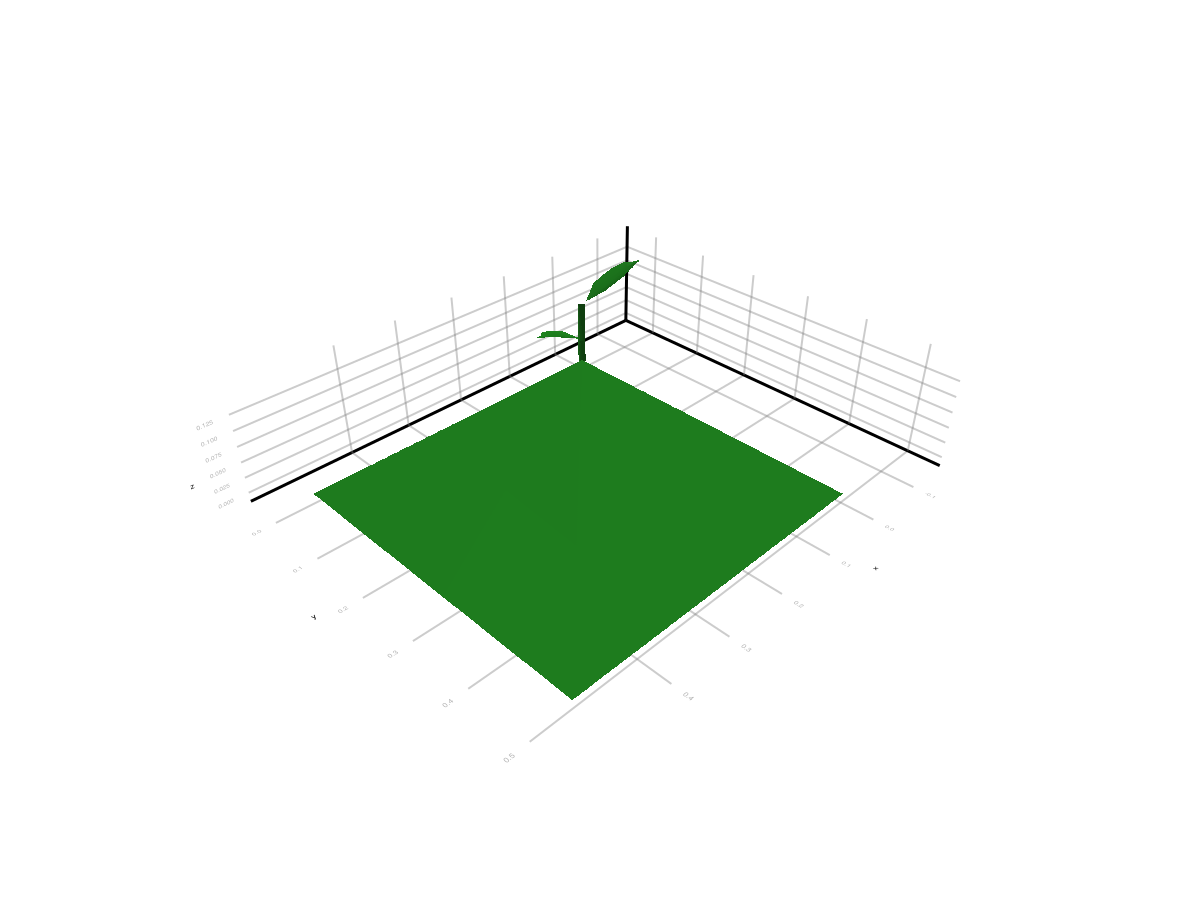
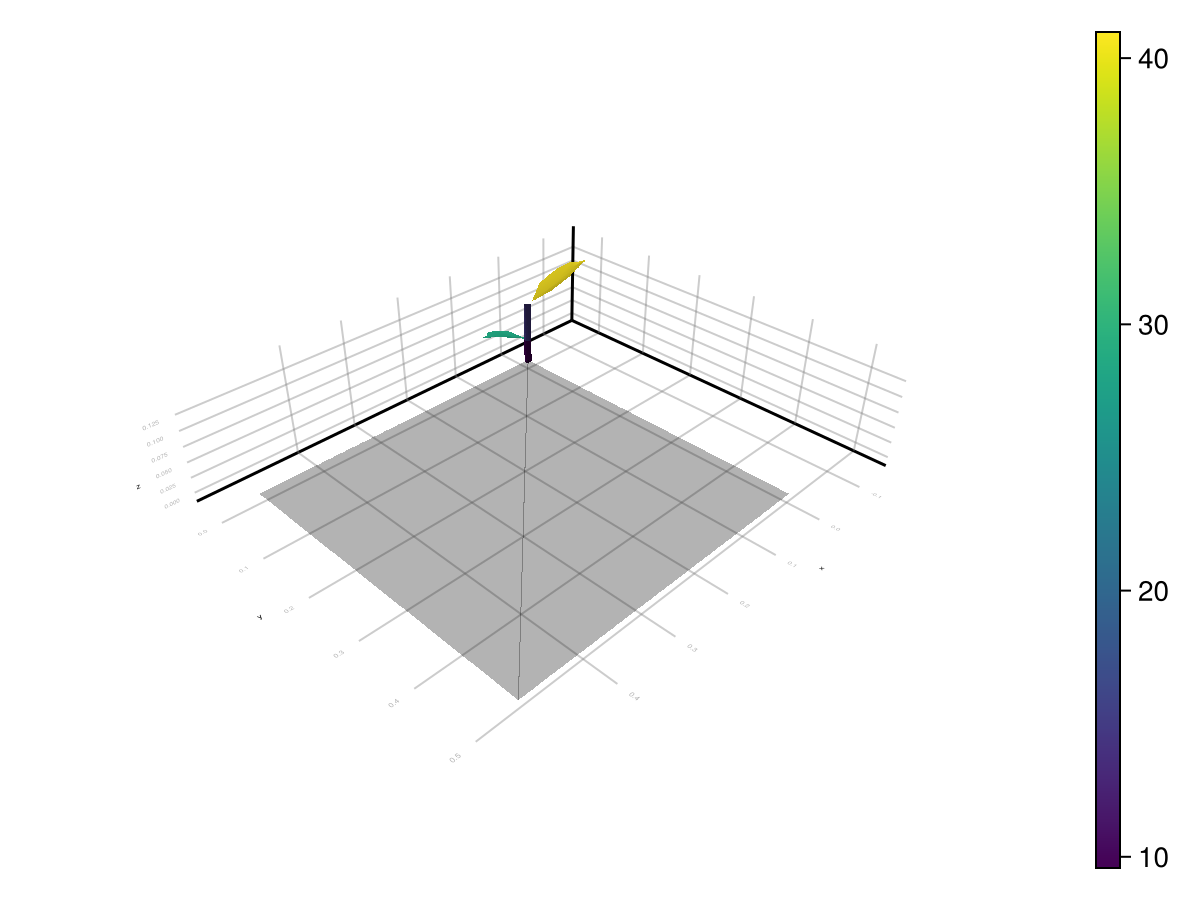
ARCHIMED-Style CSV Tables#
The public writer produces component_values.csv. Historical fixture datasets and internal regression tools may also contain files such as:
component_values.csvscene_values.csvsummary.csv
The example writes a fresh component_values.csv on demand, while the regression and release harnesses under test/ keep their own isolated reference data.
component_values.csv#
Component-scale outputs, typically one row per scene node and step. Common columns are:
step_numberobject_idsource_topology_idgrouptypeareaRi_*Ra_*
You can write this table from already-computed results:
julia
series = run_light(sim, meteo)
component_path = joinpath(mktempdir(), "component_values.csv")
write_component_values(component_path, sim, series)
isfile(component_path)
true
step_index_base=0 is available for compatibility with historical harness outputs.
scene_values.csv#
Scene-scale summary per meteo step.
summary.csv#
Grouped aggregation, usually by item, group, and type.
Which Output Form Should You Use#
use
LightBudgetwhen staying inside Juliause
attach_light_step!when you want visual inspection or downstream scene exportuse
component_values.csvwhen you need a portable component-scale table
On this page